





1.背景
当你想要测试一个端口是否开放,往往我们会用到telnet这个命令,但它不具备ping的功能,但ping又不支持端口测试,当我们需要知道一台机器的延时和端口开放情况时,就需要用到tcping小工具了。
2.安装
安装特别简单,软件下载下来后,直接放到指定目录里面即可,下载地址(使用浏览器访问):
https://elifulkerson.com/projects/tcping.php
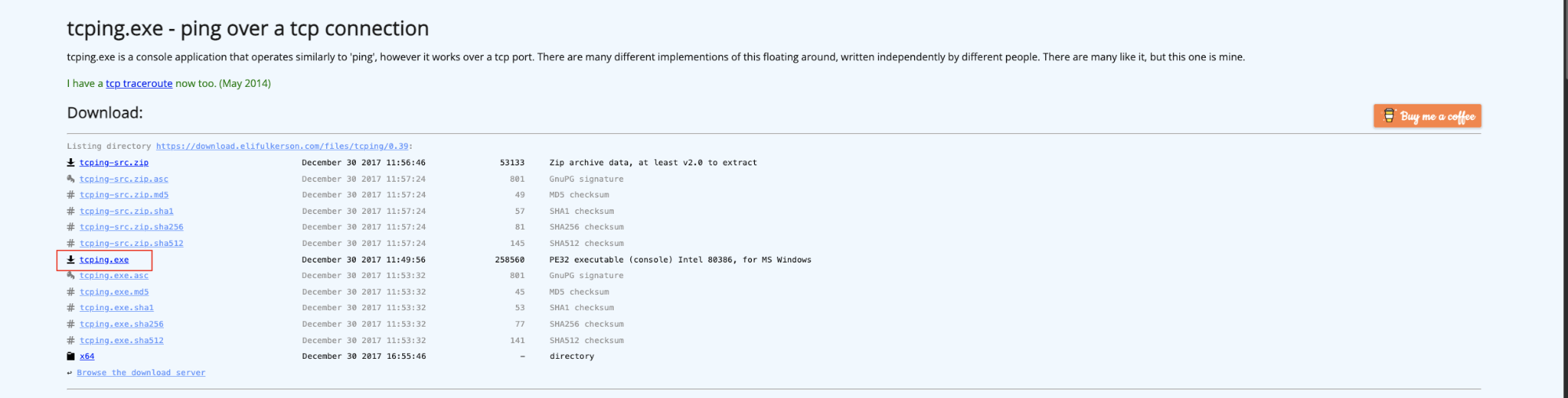
X64文件下载地址:
https://download.elifulkerson.com/files/tcping/0.39/x64/tcping64.exe下载完成后,放到C:\Windows\System32这个文件夹下,可以根据自己操作系统的架构选择版本。
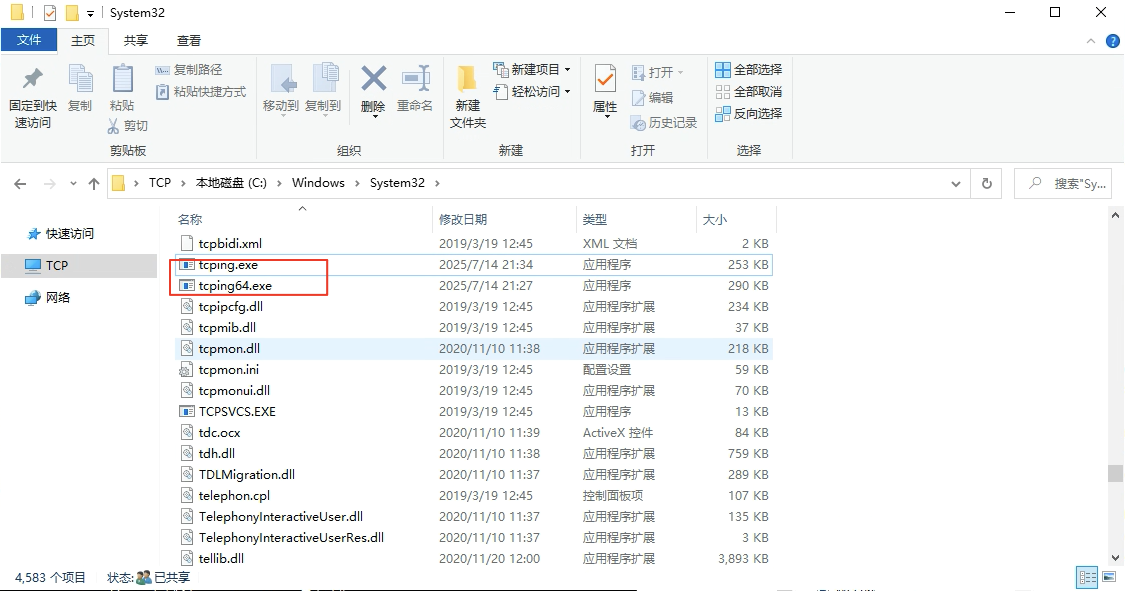
3.测试使用
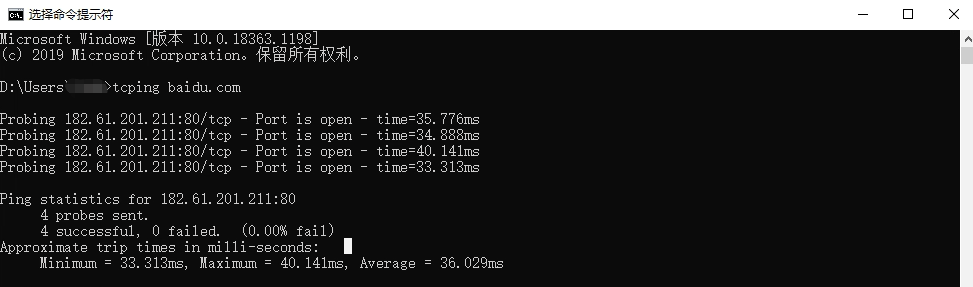
tcping baidu.com尝试一下测试百度的80端口,是通的。
也可以测试目标主机的端口开放情况,从结果上可以看出本地3389端口开放,3388端口未开放或未监听。
tcping 127.0.0.1 3389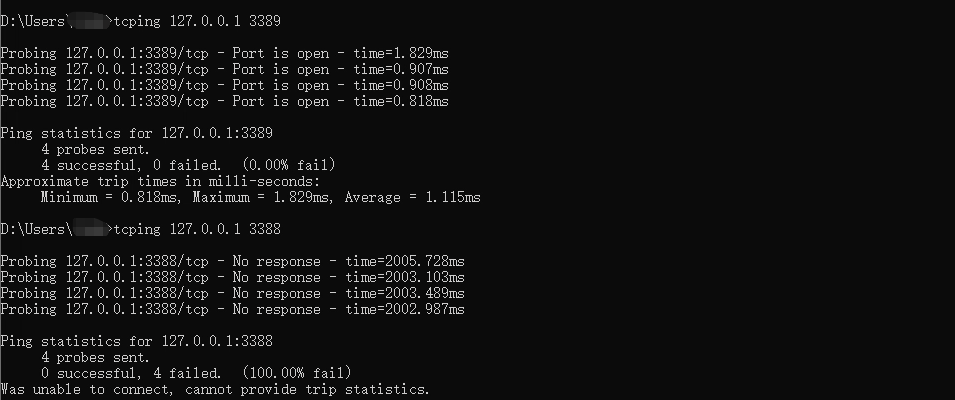
常用命令:
tcping.exe by Eli Fulkerson
Please see http://www.elifulkerson.com/projects/ for updates.
--------------------------------------------------------------
Usage: tcping [-flags] server-address [server-port]
Usage (full): tcping [-t] [-d] [-i interval] [-n times] [-w ms] [-b n] [-r times] [-s] [-v] [-j] [-js size] [-4] [-6] [-c] [-g count] [-S source_address] [--file] [--tee filename] [-h] [-u] [--post] [--head] [--proxy-port port] [--proxy-server server] [--proxy-credentials username:password] [-f] server-address [server-port]
-t : ping continuously until stopped via control-c
-n 5 : for instance, send 5 pings
-i 5 : for instance, ping every 5 seconds
-w 0.5 : for instance, wait 0.5 seconds for a response
-d : include date and time on each line
-b 1 : enable beeps (1 for on-down, 2 for on-up,
3 for on-change, 4 for always)
-r 5 : for instance, relookup the hostname every 5 pings
-s : automatically exit on a successful ping
-v : print version and exit
-j : include jitter, using default rolling average
-js 5 : include jitter, with a rolling average size of (for instance) 5.
--tee : mirror output to a filename specified after '--tee'
--append : Append to the --tee filename rather than overwriting it
-4 : prefer ipv4
-6 : prefer ipv6
-c : only show an output line on changed state
--file : treat the "server-address" as a filename instead, loop through file line by line
Note: --file is incompatible with options such as -j and -c as it is looping through different targets
Optionally accepts server-port. For example, "example.org 443" is valid.
Alternately, use -p to force a port at command line for everything in the file.
-g 5 : for instance, give up if we fail 5 times in a row
-S _X_ : Specify source address _X_. Source must be a valid IP for the client computer.
-p _X_ : Alternate method to specify port
--fqdn : Print domain name on each line if available
--ansi : Use ANSI color sequences (cygwin)
--color: Use Windows color sequences
HTTP Options:
-h : HTTP mode (use url without http:// for server-address)
-u : include target URL on each line
--post : use POST rather than GET (may avoid caching)
--head : use HEAD rather than GET
--proxy-server : specify a proxy server
--proxy-port : specify a proxy port
--proxy-credentials : specify 'Proxy-Authorization: Basic' header in format username:password
Debug Options:
-f : force tcping to send at least one byte
--header : include a header with original args and date. Implied if using --tee.
--block : use a 'blocking' socket to connect. This prevents -w from working and uses the
default timeout (as long as 20 seconds in my case). However it can detect an actively
refused connection vs a timeout.
If you don't pass server-port, it defaults to 80.
评论区